Separate a selected profile audience from ad-form leads
A LinkedIn-to-Zoho job starts with the source audience and its intended use. A selected group of profiles for account research differs from people who submitted your own advertising form. Keep that source context beside each record. A profile export cannot recreate a submitted form answer, and an ad-form lead does not need another extraction merely to reach the CRM.
Zoho documents LeadChain for LinkedIn Lead Ads, with Leads/Contacts destination selection and field mapping. Its overview says it has a separate subscription and supported CRM editions. Inspect that native route for owned form submissions before buying a profile source.
Zoho Social's older Lead Forms guide redirects new signups to LeadChain. Do not confuse a connected LinkedIn social channel with complete CRM profile capture. For a selected audience that native capture does not supply, a reviewed portable file can be a useful input to your existing Zoho process.
Choose the module and check its layout
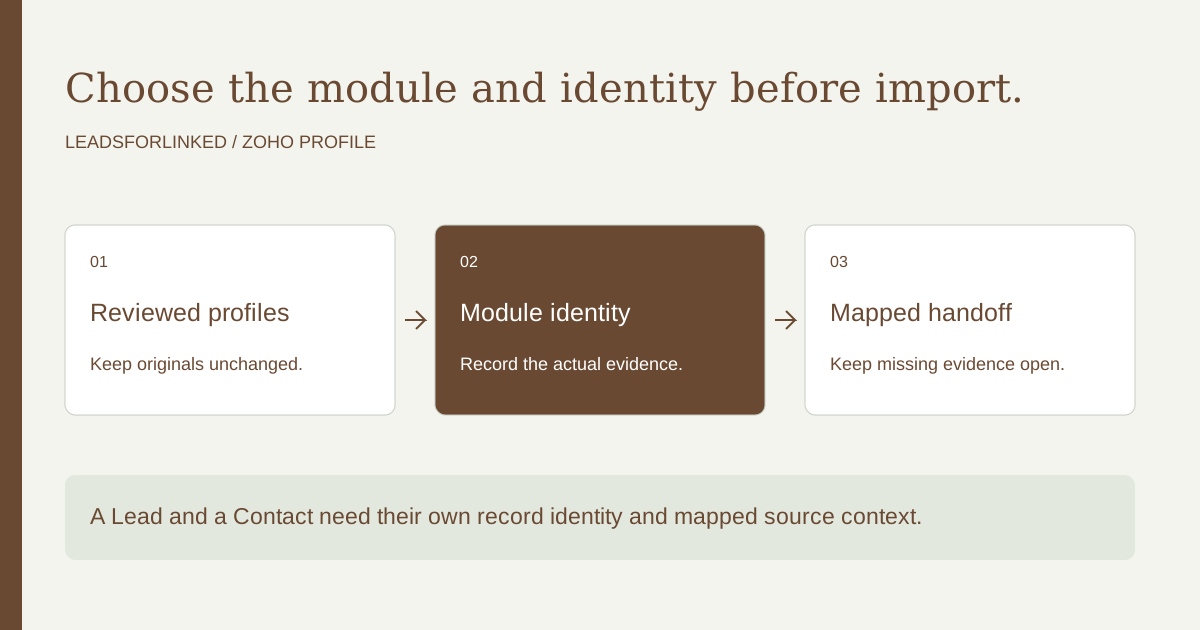
Decide whether the people belong in Leads, existing Contacts or another research process used by your team. The company may already exist as an Account, and the person may already have a Contact record. Keep those relationships and owners. A new Lead should not be the automatic answer to every profile found outside the CRM.
Zoho's standard Lead fields page marks Last Name and Company as mandatory and lists Email without that mandatory marker. This can support an email-free research Lead when the actual layout and rules permit it. Additional mandatory fields, subforms and local validation still need checking. Keep missing email empty; do not manufacture an address to make the record appear complete.
Use the actual layout's sample file and record requirements to prepare the mapping brief. Preserve full names from the source, and check any name split required by the destination. A missing last name or company needs a review decision. Do not treat a CRM defaulting feature as permission to invent personal or employer information.
Keep source identity and CRM identity separate
Store the actual person's public profile identity beside the destination matching key. Zoho record IDs come from CRM records; a LinkedIn URL is a different identifier. A name and company can support research, but they may not uniquely identify a person. An opaque Sales Navigator identifier should remain unresolved until its actual public identity is established.
For repeated profile-input jobs, inspect the configured unique field available in the chosen module. Zoho's custom-field documentation describes unique fields in paid CRM editions, their use in import and the optional converted-lead/contact duplicate check. A column containing profile URLs does not enable those settings by itself.
The same documentation lists exceptions, including CRM migration, and notes indexing delay. Confirm which import process and duplicate preference your organization actually uses. Search both current Leads and relevant Contacts before preparing a new Lead audience. A custom key configured only on Leads should not be assumed to find every Contact after conversion.
Choose add, update or both deliberately
The current module-import guide describes choosing the layout, add/update/both behavior, a unique matching field, column mappings and post-import actions. Download its actual module sample where useful. Updates to existing records cannot be reverted through import undo; record the operation before submitting.
The guide also documents skipping empty updates, lookup matching and checking import history. Keep the blank-value policy with the file so an absent source value does not unintentionally replace known CRM information. Review suggested mappings, owner assignment and automation settings. The article's older FAQ examples are not a reason to ignore the current screen and selected layout.
Zoho's import FAQ separately explains updating using exported record IDs and preserving only intended mapped fields. It recommends a sample import. Build your accepted payload from reviewed source observations rather than from the entire raw file, and reconcile each result with its source row.
Plan identity and source context through conversion
A 2026 integration-builder report describes difficulty preserving LinkedIn identity when Leads become Contacts. The author promotes their own connector; the report is useful firsthand context, not proof that Zoho always loses fields or offers no conversion handling.
Zoho's conversion documentation explains account/contact creation or merging, field mapping and unique-field matching. Standard fields map by default; custom values need appropriate matching types and lengths. Inspect the actual mapping for profile identity and source context before relying on them after conversion.
Review the resulting Contact and Account identities rather than continuing to address an old Lead ID blindly. Keep the source-to-destination relationship in the job ledger. A historical conversion and a current person identity are different facts. When a profile already belongs to a Contact, route it to that Contact's owner instead of creating another Lead merely because the source file is called “leads.”
Keep recurring imports and migration distinct
A 2026 migration discussion describes duplicate records during a repeated transfer from Salesforce. Replies suggest identity mapping, but their suggested scripts and services are not a verified import recipe. The question shows why the source system's identifier and the intended operation need to remain explicit.
A recurring selected-profile import is usually a module-specific job. Whole-system migration, attachment transfer and dependent records have additional requirements. Do not substitute one tool for another solely because both accept a file. Preserve the previous result so a later profile capture can update or exclude the known people through the organization's approved route.
Use an untouched raw export, a decision ledger and separate accepted create/update files. Keep held rows with their reason and next action. When a run returns failures, inspect the actual errors and retry the affected subset. Repeating the original full file without accounting for completed records can turn a retry into a duplicate-creation job.
Inspect a fictional Zoho handoff
The original exercise supplies eight fictional profile observations. Its case organization permits email-free research Leads, requires Last Name and Company, uses a configured unique profile key and preserves populated fields when the source update is blank. Those are teaching assumptions, not an assertion about your Zoho settings or plan.
One existing Lead passes an update route. The two proposed-create observations share a profile and source key but contain different observed names, so both stay held without selecting a first-observation winner. A known converted Contact is rejected from Lead creation. Missing last name, missing company, opaque profile identity, and Description-only identity without a proven matching key also stay held. The case has one accepted update, six held observations and one rejected Contact.
The expected ledger retains all eight originals and their proposed module/operation decisions. The accepted subset is for inspection, with fictional CRM IDs and do-not-contact labels. It cannot be uploaded as a production payload. Use the blank worksheet to specify your real module, required fields, unique key, conversion mapping, blank-update policy and review owner.
Download the decision pack
- Blank editable job worksheet
- Untouched fictional observations and case contract
- Expected decision ledger with every original retained
- Accepted inspection subset and held inspection subset
These JSON files preserve teaching observations for review. The column labels are our case schema. Use your actual source file and destination mapping for a production job.
Produce more profiles only after the handoff works
When the native form route and existing CRM records do not supply your selected audience, test a supported LinkedIn source with Leadsforlinked's 100 free signup profiles, no card, released in batches of 20. Inspect the actual CSV for person identity, company context and every field the selected layout requires. Keep unresolved records outside the accepted import.
After the sample supports the job, write the remaining accepted profile requirement and compare the eligible once-only 500-profile offer at €1.99 with Basic at €4.99 monthly or €35.88 yearly, equivalent to €2.99 monthly. Keep Zoho and any later enrichment or sending services. Additional extraction buys the missing usable audience; it does not configure CRM uniqueness, provide verified emails or establish purchase intent.
Sources and scope
Linked primary guidance and firsthand discussion were read on 13 October 2026. The original work product is a fictional decision exercise and a reusable blank brief. Use current local settings and actual source observations for your job; an authenticated import or source run is not claimed here.
Frequently asked questions
Can Zoho CRM hold a research Lead without email?
The documented standard Lead fields mark Last Name and Company mandatory. An email-free route still depends on your actual layout, validation and intended use.
Does a LinkedIn URL automatically become a unique CRM key?
No. Choose an appropriately configured field and matching route in the intended module. Preserve the source profile identity and the separate CRM record ID.
What happens to profile identity when a Lead is converted?
Check conversion mapping and the resulting Contact or Account record. Custom source identity fields need an intentional destination mapping.
Should LinkedIn Lead Ads use a CSV extractor first?
Inspect Zoho LeadChain for owned form submissions. A separate profile source is useful only when it supplies a different required audience.