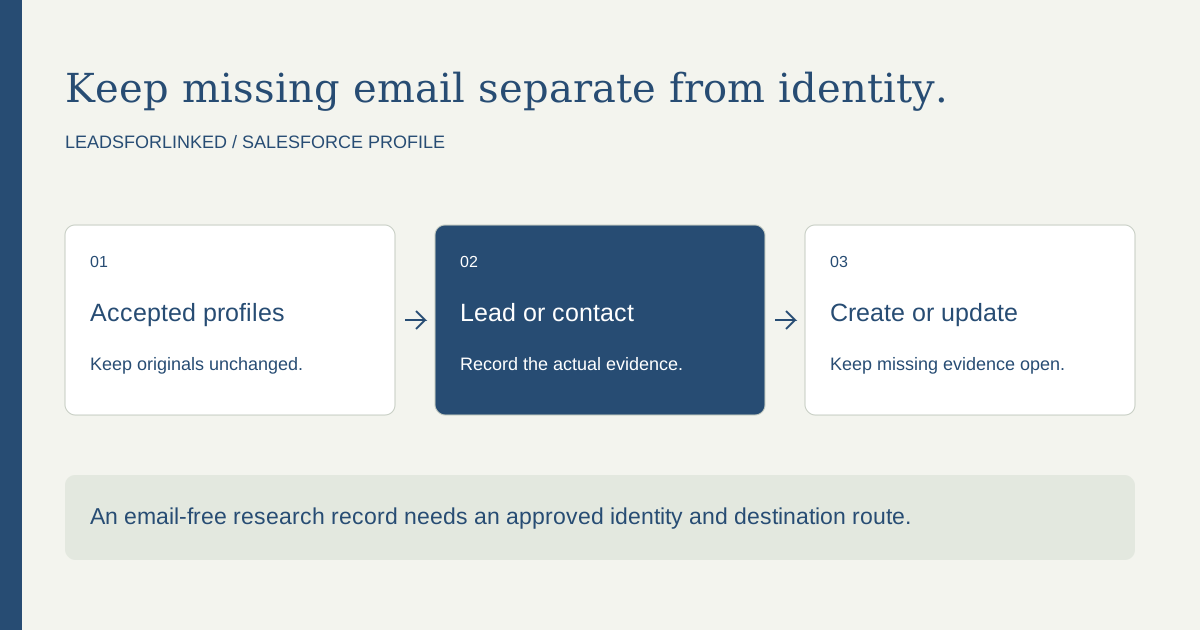
Decide what the email-free record is for
An email-free LinkedIn audience can support account research, a LinkedIn conversation or a future enrichment job. It is not an email-ready campaign. Start with the receiving team's purpose and the object it uses for unqualified people. If the next stage requires a verified work email, record that as an unresolved requirement instead of pretending that a profile export already meets it.
Salesforce's pre-import checklist lists last name and company name for Leads, last name for Contacts and name for Accounts. It recommends complete identifying information and checking required fields before import. This supports a conditional route with blank email; it does not guarantee that your organization's validation, record type or automations permit that route.
Inspect the actual record type and required fields with the owner of the import. A local validation rule can require email or another qualification field even when the general checklist does not. Keep that rule in the mapping brief. Resolve the intended research workflow before purchasing additional profiles that the destination cannot accept.
Use existing capture and contact routes where they fit
For inbound people supplying their information, Salesforce documents Web-to-Lead. That is a native capture route, not a reason to export those same people again. For an existing Sales Navigator account map, LinkedIn's Relationship Maps guide documents CRM create/update for Advanced Plus with the required admin settings.
Also inspect the CRM's current Leads and Contacts. If the intended people are already present and the needed fields are usable, the next job is research or record maintenance, not another extraction. A reviewed external audience has a purpose when it supplies actual selected profiles that those native and existing-record routes still miss.
A 2026 Salesforce administrator discussion describes a list with notes and placeholder text inside email fields, followed by validation problems. That is an individual report, not a universal import failure. The useful distinction is between an honestly empty email value and a manufactured value used to make a file look complete.
Choose Lead or Contact before selecting the operation
Ask whether the person is new to your organization's research process, an existing Lead, or an existing Contact linked to an account. Preserve the existing object's identity and ownership. A new Lead with the same LinkedIn identity as a known Contact can create a second person record and route work to the wrong team.
Do not convert people solely because they were imported or because their profiles fit a company list. Qualification and conversion follow the organization's sales process. Salesforce's conversion considerations describe existing-account/contact handling and duplicate behavior; they are separate from the Data Import Wizard's matching choice. Review the resulting records when conversion eventually happens.
Custom profile identity and source context need a destination field and, where appropriate, conversion mapping. Salesforce documents mapping custom Lead fields to the objects created or used during conversion. A value placed in an unmapped field should not be assumed to survive as the same field on a Contact.
Select a proven non-email identity route
Salesforce's Lead import matching guide lists Salesforce ID, name, email and External ID. Name matching is case-sensitive; name equality still needs a business identity review. Salesforce IDs come from CRM records. A source profile URL is not a Salesforce ID.
For new selected profiles, an administrator can choose a configured unique External ID field and an identity convention appropriate to the organization. The guide says only unique External ID fields are available for matching and repeated external IDs within a file are not uploaded. Confirm the actual field type, uniqueness and matching behavior; a column named “external_id” does not configure Salesforce by itself.
The guide also says matching type None creates a Lead for each input row. Treat that choice deliberately. Keep the reviewed source identity beside the destination matching key, especially when updates are involved. A provided CRM ID pointing to another person is a conflict to hold, not a shortcut to avoid duplicate checking.
Map actual fields and keep email honestly empty
Preserve the downloaded source file. In a working copy, identify the actual columns containing the intended person's identity, last name, company and relevant title or source context. The product's production export headers and completeness must be checked on your sample. Do not assume that the example labels in a teaching file are guaranteed exporter fields.
Map each source column to the intended Salesforce field. If last name or company is missing, hold the row for research. Do not infer a last name by cutting a full name at the final space without checking the person. Do not place “Unknown,” a company name or a profile slug into a missing name solely to satisfy a required field.
If no email has been obtained, leave it empty according to the approved mapping. A guessed address, a shared placeholder address and notes such as “call later” create different data problems. Keep email enrichment and any verification result as separate later observations. Check what should happen to an existing populated email when the source file has no replacement value.
Prepare the operation and a small acceptance check
The official Data Import Wizard instructions start with a prepared CSV, then selection of the object, add/update/both behavior, matching criteria and workflow/process settings. The wizard suggests field mappings; inspect them. The operation choice changes what happens to new and existing records, so save it with the job brief.
Build separate accepted create and update payloads when the job needs different handling. Keep held and known-contact cases outside those files. On a small actual subset, inspect the imported values, record owner, matching result and any downstream automation before a larger run. Preserve the result file and investigate failures against the original row.
A successful transfer is only one stage. Reconcile the accepted input with the destination result: which records were created, updated, skipped or rejected? A retry should concern unresolved or failed rows, not blindly repeat the entire raw export. Keep the job's original source, mapping and result version so the next import does not begin from an untraceable spreadsheet.
Work through a fictional Lead and Contact handoff
The original exercise contains eight fictional profile observations, all with blank email. Its fictional organization permits an email-free research Lead, requires last name/company and has a reviewed non-email identity field. Those are case assumptions, not settings supplied by Leadsforlinked or a claim about your Salesforce organization.
An existing Lead is accepted for a reviewed update route using a supplied demonstration CRM identifier. The two proposed-create observations share the same profile and source key but have different observed names; both stay held until the identity conflict is resolved. A known Contact is rejected from the Lead-create job. Missing last name, missing company, opaque profile identity and a CRM-ID/person conflict also remain held: one accepted update, six held observations and one rejected Contact.
The expected ledger retains every original value and labels the proposed operation. Its accepted update observation is an inspection subset, not an import-ready Salesforce record. Demonstration CRM identifiers are deliberately fictional and must not be uploaded. Use the blank mapping brief to replace case assumptions with your actual object's required fields, unique matching field and update policy.
Download the decision pack
- Blank editable job worksheet
- Untouched fictional observations and case contract
- Expected decision ledger with every original retained
- Accepted inspection subset and held inspection subset
These JSON files preserve teaching observations for review. The column labels are our case schema. Use your actual source file and destination mapping for a production job.
Test the source before buying the larger profile job
When selected profiles are still missing after native capture and CRM review, use Leadsforlinked's 100 free signup profile leads, no card, released in batches of 20, to inspect the actual source CSV. Check the person identities and mandatory-field coverage before treating it as an accepted Salesforce input. An email-free workflow is viable only when the receiver accepts that specific file.
Once the sample is accepted, record the additional usable profiles needed and any unresolved fields. Compare the eligible once-only 500-profile offer at €1.99 with Basic at €4.99 monthly or €35.88 yearly, equivalent to €2.99 monthly. Retain Salesforce and the enrichment or sending tools you still need. The paid extraction job is producing the remaining accepted profile audience, not supplying a verified-email promise or changing CRM rules.
Sources and scope
Linked primary guidance and firsthand discussion were read on 13 October 2026. The original work product is a fictional decision exercise and a reusable blank brief. Use current local settings and actual source observations for your job; an authenticated import or source run is not claimed here.
Frequently asked questions
Can I import LinkedIn Leads into Salesforce without email?
It can be possible when your organization permits an email-free research Lead, required fields are present and an approved non-email matching route is configured. Check local validation and downstream automations first.
Can a LinkedIn profile URL replace a Salesforce record ID?
No. Salesforce record IDs come from the CRM. A profile identity can be mapped to a separately configured field, but it does not become a CRM ID.
Should a known Contact be imported again as a Lead?
Review the existing object and owner first. Keep known-contact cases out of the Lead-create payload unless the organization deliberately requires that separate process.
Does a successful CSV import make the audience email-ready?
No. Transfer, identity acceptance, email availability and verification are separate stages.