Choose the LinkedIn source your job needs
Write the account, role and territory brief before collecting people. A comment, reaction, event or job change supplies context; it does not establish buying intent or authority. Retain an audience you already have when its people and receiving fields meet the requirement.
- People searches: target the available company, role and location filters; review actual membership.
- Post commenters and reactors: choose the relevant post and review each person's role and company.
- Event attendees and visible group members: source access and visible membership determine the available audience.
- Additional advertised source methods: profile-visitor views, repeated post observations and job-change signals require the corresponding visible source and account controls. Anonymous viewers, hidden people and inaccessible membership are not promised.
Our published product describes eight manual source methods. Manual extension capture uses an available LinkedIn page and the controls in your account. It is distinct from Pro scheduled sourcing and Plus Signal Radar/Post Spy monitoring; the Free sample does not unlock those paid workflows. The search export guide and company audience guide explain their specific source and review jobs.
What the checked CSV contained
On 18 October 2026, we followed standard LinkedIn People search through the extension and app audience to a downloaded CSV. The file contained 10 rows and these 11 headers. No prospect records are published here.
full_name,first_name,last_name,linkedin_url,headline,company,position,location,avatar_url,created_at,civility
Names, profile URLs and locations were filled in all 10 rows. The ten linkedin_url strings were distinct and had a public-profile URL format. The company column was filled in one row and blank in nine. There were no email or phone columns. Review the person and current employment separately; field presence and URL format do not verify them.
Sample scope: one existing free account. The quantity control showed 1 while the audience and file contained 10 rows; this does not establish a normal batch size or credit cost. A new signup, its first 20-profile release, timing, free recovery and the full 100-profile allowance were not tested. See the full search-to-CSV check for the route and limits.
Use this as a reason to inspect your own download. Fields and missing values can differ with the source; decide which ones your next workflow needs.
Person and source
Check person-profile identity, duplicates and conflicting observations. Keep the original source and file. A normalized URL or display name alone is not identity verification.
Company and role
Check the actual company association and current role against your brief. Headlines and job-change context are clues, not verified employment or purchasing authority.
Receiving fields
Write the columns your CRM, sender or research process requires. A CSV reader can open a file while its mapping, mandatory fields or contact evidence remain incomplete.
The remaining work
Count accepted people still missing. A missing email, calling route or external CRM connector is a different requirement from additional profile input.
The product advertises deduplication and name normalization. Review underlying identities and conflicting observations as well as formatting; cleaning does not establish current employment or credit reconciliation.
Use the local audience workbench or the actual company-field comparison for the file you already have. These preserve source observations for review; they do not verify employment or approve a provider import.
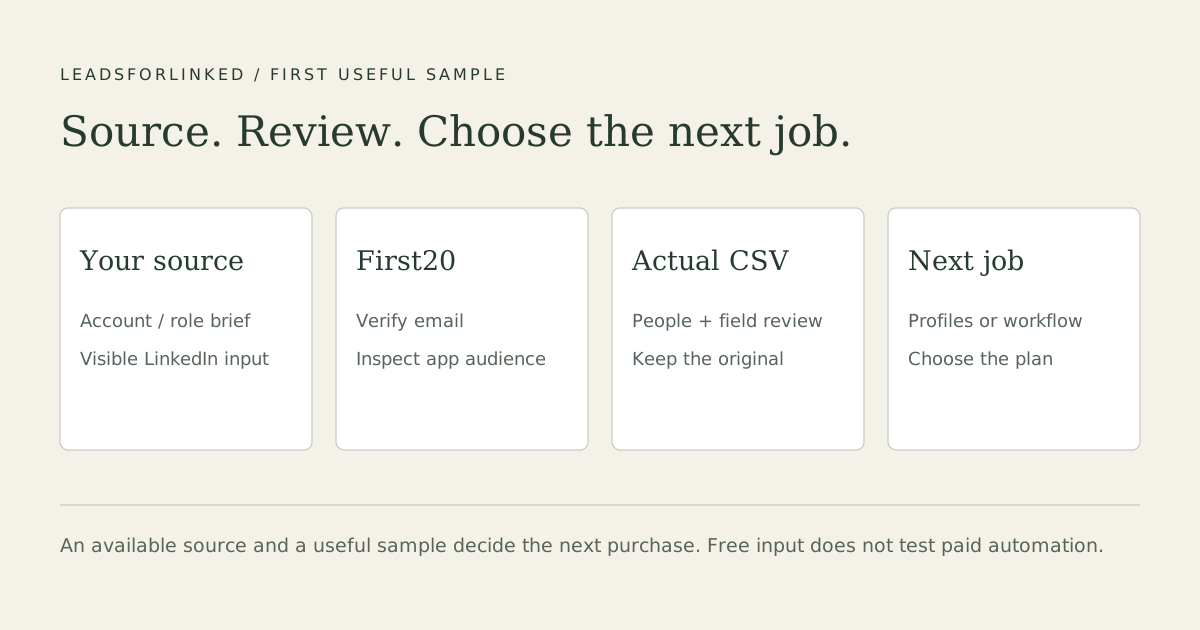
Follow the first-sample route in five steps
- Create the account and verify your email. Use the signup link and confirm the verification email. The published signup offer is 100 profile leads once, no card, released in batches of 20.
- Install the extension and open the source. Sign in to the Leadsforlinked Chrome extension, open a targeted LinkedIn People search and use the source controls available in your account. Standard LinkedIn is supported; Sales Navigator is optional for this route.
- Collect a sample into an audience. Use the allowance and quantity controls shown in your account. Choose or create the app audience, then inspect the resulting rows. Preserve the source search and its company, role and location brief before collecting more.
- Export from the app audience. Open the audience in the app and export its CSV. The extension Export control opens that audience. Keep the original file and inspect the actual columns and missing values.
- Review useful people and choose the remaining job. Check person identity, company and role fit, existing contacts and receiving fields. If more accepted profiles are needed, compare current pack or Basic options. For campaigns, inbox, Kanban, AI or monitoring, review the appropriate workflow plan.
Use the allowance shown in your account. Check your current balance and countdown before starting another sample. Waiting stays free; an eligible pack or subscription is a separate choice.
For a job such as reviewing 200 people, use a small sample to check the source and fields before committing to the larger file. Keep adequate native/manual or existing audience routes when they finish the work.
Test the source with your own brief. Verify the account, collect a sample into an audience and inspect its downloaded CSV.
Get my 100 free leadsSales Navigator is optional for standard search, with native alternatives
LinkedIn Help says Sales Navigator does not natively export lead/account lists to CSV or XLS. Advanced Plus offers CRM Sync, embedded profiles and lead creation for supported CRMs. That native route may already complete your receiving job. The standard LinkedIn source guide covers another source choice.
Your own first-degree Connections archive is a different native export. It does not export an arbitrary new prospect search. Cancellation documentation describes what saved Sales Navigator data becomes unavailable when the subscription ends; it does not make a third-party extractor the only durable workflow.
Keep any LinkedIn subscription your selected source requires in the quote. Country, currency, billing term and taxes matter. A richer filter requirement and a CSV requirement are separate decisions.
Compare the required output and commitment
These existing extraction and data routes have different meters. A contact reveal, unique result, export allowance, execution hour and accepted person are not equivalent units. Keep a route that already supplies the required source and receiving data.
| Route | Job it can cover | What to keep in the quote or review |
|---|---|---|
| Evaboot | Sales Navigator export with included email when found; separate email finder/verifier operations. | Active Sales Navigator seat, selected credit operation and active-subscription rollover. The current page lists USD 29/400 and USD 49/1,000 monthly credits. |
| Leadsforlinked | Manual profile audience and CSV; paid campaign/inbox/AI/monitoring jobs are separate. | 100 signup profile leads, no card, batches 20. Inspect accepted source output; choose the pack or current plan for the remaining job. |
| Wiza | Profile/contact-data and CRM routes with different email, phone and export resources. | Monthly/annual and user units differ. Its current Free card says 20 emails+5 phones while the footer says 25 credits; check actual entitlement. |
| Skrapp.io | Email finding/verification from LinkedIn and other inputs. | Free 50 email credits; List Exports/CRM Sync are shown on paid plans, not Free. Keep the status and operation attached to the credit. |
| Lix | Search-level profile exports and validated email work. | Profile export limits differ from email credits. Email credits roll over with 12-month expiry; API credits have separate terms. Select the actual plan. |
| Scrupp | Profile scraping, email/phone enrichment and other source workflows. | The current page separates 1 credit/profile from charged contact findings. Monthly credits and non-expiring one-time packs are separate; inspect selected source access. |
| Lobstr.io | Scraper-specific unique results and repeat workflows. | Free exports are capped at 30 rows/request and scheduling is unavailable. Premium scrapers need paid access; credits reset monthly and result retention differs by plan. |
| Kanbox | Native sources, cloud campaigns, inbox and other paid workflow lanes. | 15-day no-card trial. Import quota, account capacity, email resources and selected term matter; CSV alone does not recreate its native campaign state. |
| PhantomBuster | Cloud extraction/workflows with execution time, slots and separate contact/AI resources. | The current Trial card lists 5 slots/2 hours and 10-row exports. Keep the workflow's required source, runtime and paid export access; this is not a profile-credit meter. |
For a standard People search, Hilead’s current guide describes a free, no-account selected-profile CSV with five fields, including above 50 selected profiles; its 50 limit concerns audience import. If that output completes the job, keep it. Do not assume a separate company field or verified employment from its headline. Actual source and receiving-field needs determine whether another sample is useful.
Choose the remaining paid job
Free entry: 100 signup profile leads, no card, batches 20. Eligible one-time pack: the published 500-profile offer is EUR 1.99 where available in the current account. Ordinary packs and repeat purchases use their own offer, amount and terms. Packs are advertised as non-expiring; inspect the actual balance and selected purchase.
| Plan | Monthly EUR | Published job |
|---|---|---|
| Basic | 4.99 | Unlimited extraction, CSV export and audiences. |
| Starter | 29 | Basic plus 1 connected LinkedIn account, multi-step campaigns, inbox, Kanban and analytics. |
| Diamond Pro | 79 | Starter plus scheduled 8-method sourcing, scoring, AI Hunter and AI Responder. |
| Diamond Plus | 149 | Pro plus Signal Radar, Post Spy,3 connected accounts and priority support. |
A useful free sample can lead directly to the relevant subscription. A pack purchase and free consumption are optional for ready buyers. Review current pricing and the selected billing period; annual commitments and the current account offer require their own quote. Unlimited is the extraction subscription offer, not a complete-data, safe-action or throughput guarantee.
Campaigns and inbox are described in the campaign guide; CRM choices and AI workflow choices have different remaining jobs. Keep external CRM connectors, email sending and contact enrichment separate from the published LinkedIn plan catalogue.
Keep the route that already finishes the job
If existing CRM data, a native connector, a free/manual source or an owned workflow supplies the accepted people and fields, additional extraction may be unnecessary. For mandatory accepted emails or phones, retain a suitable contact-data provider. For cloud scheduling, keep an adequate native workflow rather than treating a browser export as a replacement for live automation.
Manual extension capture requires Chrome and an available LinkedIn session. This does not mean the full Leadsforlinked platform is limited to a CSV button: finding people, reaching them, managing replies/pipeline and automating selected work have distinct plan gates.
LinkedIn’s software rules restrict scraping and automation. Pacing does not create platform permission or protection from restriction. Review permitted source access and the receiving data requirements for your job.
Frequently asked questions
Does a LinkedIn lead extractor need Sales Navigator?
Leadsforlinked supports a standard LinkedIn People-search route, so Sales Navigator is optional for that job. Other source workflows may require a seat or account access. Compare the source you actually need rather than adding a subscription automatically.
Can I export leads from Sales Navigator itself?
LinkedIn Help says there is no native account/lead CSV or XLS export. Advanced Plus offers CRM Sync and lead creation for supported CRMs, which may already finish the receiving job. A first-degree Connections archive is a different native export.
What fields does the CSV contain?
The CSV checked on 18 October 2026 had 11 headers: full_name, first_name, last_name, linkedin_url, headline, company, position, location, avatar_url, created_at and civility. Names, profile URLs and locations were filled in all 10 rows; company was filled in one. There were no email or phone columns. Check your download for the fields and missing values that matter to your workflow.
How many leads do I get for free?
The signup offer includes 100 profile leads once, released in batches of 20 after email verification, with no credit card. Paid campaigns, AI and monitoring have separate plan gates.
Why do I see a wait while free credits remain?
Check the current balance and countdown in your account before starting another sample. Waiting remains free; an eligible pack or subscription is a separate choice.
Do the credits expire?
Leadsforlinked advertises non-expiring lead packs. Check the current balance, offer eligibility and selected purchase in your account. The once-only 500-profile offer is not a reusable price for every future pack, and subscription entitlements are a separate choice.
Does it find email addresses?
The profile sample does not establish email-finder or verifier coverage. If accepted business emails or phone numbers are mandatory, retain a suitable contact-data route and inspect its evidence. More raw profile rows do not fill missing contact values.
Can I choose a full workflow subscription directly?
Yes. A pack purchase and free sample consumption are optional. Starter publishes campaigns, inbox, Kanban and analytics at EUR 29 monthly; Pro adds scheduled sourcing and the AI layer at EUR 79; Plus adds monitoring and three connected accounts at EUR 149.
Sources and review date
Published 5 September 2026. Field answer and offer/test wording updated 19 October 2026 using the existing-free-account CSV checked on 18 October. The linked source and comparison references were checked on 13 October 2026; they have not been rechecked for this update. The ten-row sample is separate from those published vendor references and is not a performance benchmark or a market ranking.
The original profile-only buyer question asks about repeated name/company/location/role exports without email enrichment. That supports separating the required profile output from contact-data work. It does not establish saved-list support, a fill rate or complete collection of every result.
For the actual source-to-audience instructions, see the free-sample guide. Choose a specific output and inspect the sample before extending the audience.