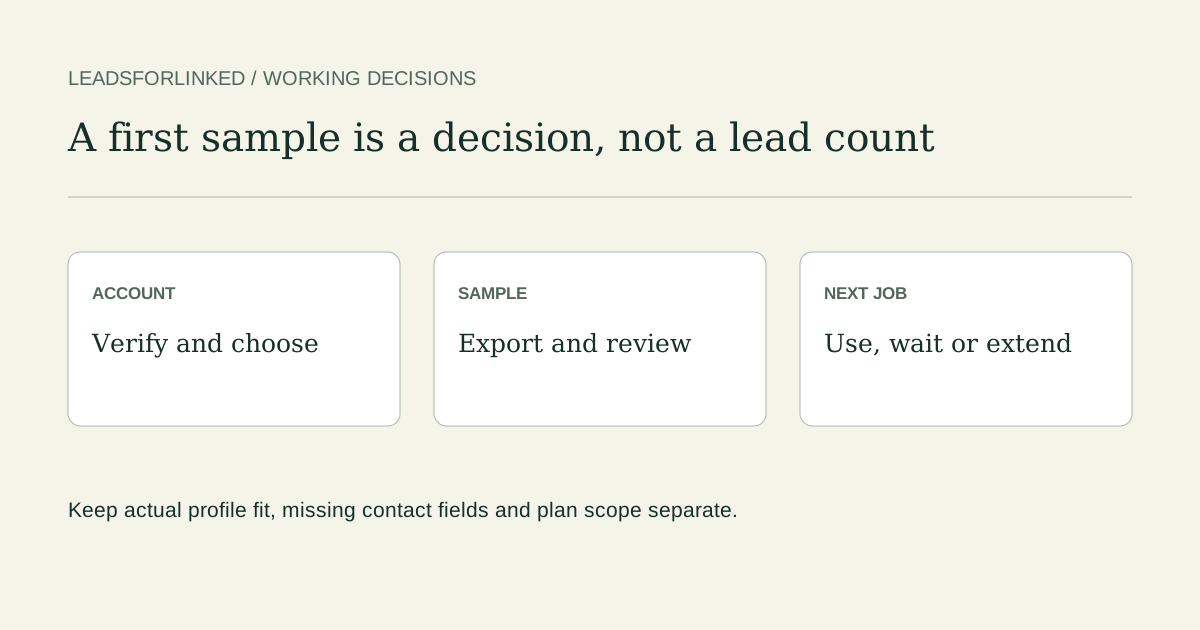
Define what a useful free lead means for this job
Start with the decision the file must support. A profile-research brief might require an identifiable person, a current sales role, a selected company type and a source you can revisit. An email brief also needs a real email value and the verification evidence your team accepts. A row with a plausible title is not automatically a qualified prospect, verified contact or permission to send a message.
If your approved audience already exists in a CRM export or your own LinkedIn connection archive, inspect that file first. LinkedIn’s native connection export covers your first-degree connections; it does not export an arbitrary People search. Connection emails depend on members’ settings. A reviewed existing file can finish the job without another extraction.
For a new selected profile audience, Leadsforlinked publishes 100 free signup profile leads, no card, released in batches of 20. Sales Navigator is optional. This is a profile-sample entry point. Campaigns, CRM execution and the AI layer have their own paid plan gates.
Get from verification to a first sample
- Verify your signup email. The current account flow requires verification before access. Use that account’s verification message and instructions.
- Use the extension route in your account. Install through the current approved account instructions, then open the supported source you intend to use. This guide does not supply an unverified store listing or infer that every LinkedIn page is eligible.
- Choose a bounded audience. Write down the search, role/company scope and mandatory fields. Start with the first released batch rather than using the whole allowance before looking at the data.
- Open the app audience and export. Preserve the raw CSV. Read its actual column names and values; source labels and tutorial examples are not an output-field contract.
Use only sources you can access and that your organization permits. LinkedIn prohibits software that scrapes or automates its service; a small batch does not establish an exception. Do not treat an extractor as access to private events, hidden profiles or a way around search restrictions.
Choose the state you actually see
This local guide shows a next step from your selection. It does not inspect your account, balance or timer.
Use the account’s current display if it differs from this documented route.
Export the existing audience, then review its actual columns
The documented route exports CSV from the app audience. The extension’s export action opens that audience. If you already imported the first batch, return to the existing audience instead of capturing it again merely to find the download. Keep the original file and record the source query manually when the export does not retain it.
Map the actual person, role and company columns to your review rules. Check a profile URL against the person you mean, current responsibility against the brief, and company context against the selected market. A company URL identifies a company; an opaque Sales Navigator identifier is not a public person URL. Missing email evidence remains a gap even when the profile research is useful.
Use the local reference-exclusion workbench where you have suitable identity columns, then review unresolved identities and company fit yourself. A name-only match cannot prove that a person is new. For the export route in more detail, use the search-to-CSV guide.
Work through a fictional first-batch review
Download the 20-row fictional review exercise, the blank actual-sample worksheet and the decision key. The observations are authored teaching data, not an extraction or expected product headers. Every exercise row is marked synthetic and do_not_contact. Do not upload, enrich or contact these identities.
The example brief is current director-level sales responsibility at B2B software companies, with identifiable person and company context. Email is not mandatory. The reviewer records role, company, identity and reference decisions separately so a missing field cannot disappear inside a single “good lead” label.
| Decision | Exercise rows | What the decision means |
|---|---|---|
| Accept for profile research | F01, F02, F03, F14, F15, F19, F20 | Mandatory example fields and current role/company scope manually reviewed |
| Exclude | F04, F05, F06, F07, F11, F12 | Wrong role/company, existing reference or suppression |
| Hold | F08, F09, F10, F13, F16, F17, F18 | Missing context, opaque identity, active conversation or ambiguous reference needs a decision |
F06 contains a former sales title but a current student role. F07 has the right title at a company outside the brief. F15 lacks email and can still meet this profile-only brief. F13 is held for the existing conversation owner; it is not automatically placed into a fresh sequence. These differences matter more than the number of rows downloaded.
For your real sample, fill the blank worksheet with actual column names, gaps, reviewed decisions and owner. Keep accepted, held and excluded subsets distinguishable. An accepted profile-research record still needs the contact and permission checks appropriate to its next use.
Separate a positive-balance wait from zero-balance recovery
The current documented Free cadence releases batches of 20 separated by 60 minutes while credits remain. Waiting is free. Use the released balance and countdown in your account; this article does not run that timer or guarantee a runtime observation.
When the balance is zero, the documented Free recovery is 20 profile credits per 24 hours. That is a separate condition, not another description of the positive-balance wait. Account state and current terms control availability. Neither an invented timer here nor a fresh signup should be used to represent an existing account’s balance.
Choose the remaining job after reviewing the sample
A useful sample can justify a subscription directly; a pack is optional. If the reviewed file already completes the task, use it. If you need more profile input, compare the remaining accepted-audience gap, the actual balance and how often the job repeats. Do not infer a raw-volume forecast from the fictional exercise.
What remains to be done?
Check the current published plans and account checkout terms. Use the actual-sample cost planner for a volume decision. For wider scope, read the full-platform comparison; an extraction allowance alone is not campaign, inbox or AI execution. The Basic extraction guide and pricing guide explain that separate export decision.
Frequently asked questions
How many free LinkedIn leads does Leadsforlinked publish?
The published signup allowance is 100 profile leads, no card, released in batches of 20. Review the actual source, fields and account entitlement; a profile row is not a verified contact or qualified buyer.
Where do I export the first sample?
The documented route exports CSV from the existing app audience. The extension’s export action opens that audience. Preserve the raw download and map its actual columns before using it elsewhere.
Why can I be waiting while credits remain?
The documented Free cadence is batches of 20 separated by 60 minutes while credits remain. Waiting is free. Use the released balance and countdown shown in your account; this guide does not read or run that timer.
Is zero-balance recovery the same as the batch wait?
No. The documented zero-balance Free recovery is 20 profile credits per 24 hours, separate from the 60-minute cadence while credits remain. Current account state and terms control availability.
Do I have to buy a pack before choosing a subscription?
No. A useful free sample can justify an appropriate subscription directly. A pack is optional. Basic covers extraction/export; Starter is the campaign/CRM entry, Pro adds the AI layer and Plus adds monitoring and three-account scope.