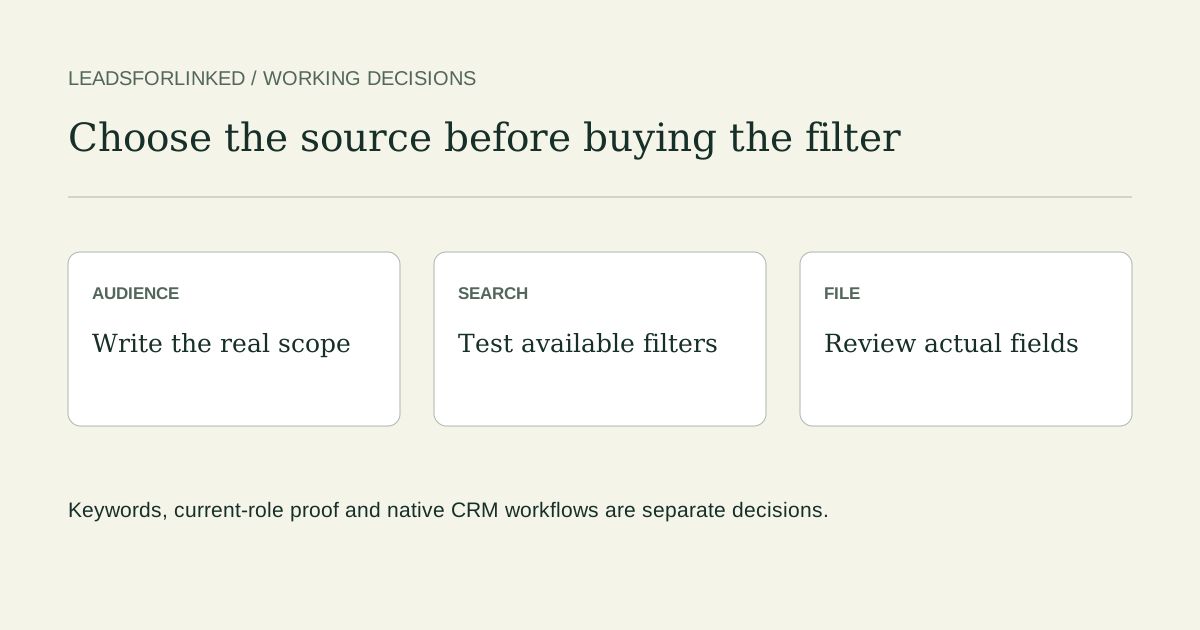
Start with the audience job, then decide whether ordinary People search is enough
You do not need a Sales Navigator subscription merely to use LinkedIn’s standard People search or build a Boolean keyword draft. That does not make ordinary search equivalent to Sales Navigator. Write the audience requirement first: current role, selected companies or company type, location, relationship scope and the fields the destination needs.
A narrow, accessible People search can be a sensible source for profile research. If your brief depends on a particular advanced filter, saved workflow or integrated CRM route, evaluate that requirement directly. Avoid paying for filters you do not need, but also avoid replacing a required structured filter with a word and calling the result equivalent.
If a reviewed CRM export already contains the selected people, use it. If the job is your own first-degree network, LinkedIn’s native connection archive may finish it. That archive is not an arbitrary search export, and emails appear only when members permit their download.
Build and test a bounded standard People search
- Choose the search mode. Use a keyword/Boolean draft when you want explicit term combinations. Where LinkedIn offers native natural-language People search, use its separate meaning-based route deliberately; it is not the same parser as this site’s local generator.
- Select People and the available filters. LinkedIn documents location, connection degree, current company and other available All Filters choices. Apply the actual account filters instead of assuming that a location word constrains residence or workplace.
- Inspect the visible results. Read current responsibility and company context. A title keyword can occur in a past role, a hiring description or unrelated profile text.
- Write the exclusions and required output. Record existing contacts, suppression rules, mandatory identity/context and any required contact evidence before capturing more rows.
- Test a small actual profile sample. Preserve the raw file, source query and filter intent. Map the exported columns and hold missing required values before extending the audience.
LinkedIn’s current People search instructions say result counts are approximate. They distinguish natural-language search from Boolean keyword matching and say natural-language search does not support quotation marks. A generated query is an input to test, not a guarantee about result count, current role or field completeness.
("head of sales" OR "sales director" OR "VP sales") AND B2B
This draft asks for title alternatives and the B2B term. Choose location through the actual Locations filter where appropriate. Add a company requirement through a real available filter or manual review. Use the generator to draft and download the query brief, then inspect the actual search. The Boolean review guide shows how a broad NOT clause can also hide a relevant person.
Know when the Sales Navigator route is materially different
| Required job | Standard route to test | What still needs a decision |
|---|---|---|
| Accessible keyword audience with location/company scope | People tab and the filters available in your account | Actual relevance, current role, access and exported fields |
| Current or past title filter and advanced lead/account search | A keyword draft can help find candidates | It does not establish the same structured-filter semantics |
| Own first-degree connection file | Native LinkedIn archive | Member email settings and missing required fields |
| Advanced Plus CRM synchronization or lead creation | Use the eligible native CRM workflow where it fits | Plan, supported CRM and destination mapping; no extra CSV solely for its own sake |
Sales Navigator’s search guidance distinguishes Current and Past job title filters. It also says keyword suggestions mapped to filters may include related variations rather than exact matches. Read the actual filter you apply. The ordinary main search bar does not become a current-title filter just because you add quotation marks.
LinkedIn’s Sales Navigator export documentation says it does not offer native CSV/XLS export, while conceding Advanced Plus CRM Sync and lead-creation workflows. If that eligible native route already serves your CRM job, use it. A separate reviewed profile CSV is useful when the destination requires a file, reference exclusions or a reviewed subset that the available native route does not supply.
Keep syntax limits and access restrictions separate
LinkedIn documents uppercase AND, OR and NOT, straight quotation marks and parentheses for Boolean search. It does not officially support wildcard searches or the plus/minus substitutes. Its operator-limit page gives a 15-operator Sales Navigator limit and describes a consumer limit without publishing a fixed number there. This guide does not invent a universal free operator allowance or result quota.
The commercial-use limit documentation describes restrictions and a monthly reset. It does not expose a remaining numeric search counter or offer a lift on request. Changing query wording is not evidence that a restriction has been bypassed. Stop treating access limits as a promise an extractor can remove.
Use only accessible sources permitted by your account and organization. LinkedIn prohibits scraping and automation software and may restrict an account. No batch size, random delay or “human pace” in this article makes an external extraction route approved.
When a reviewed external profile CSV is the remaining job
Leadsforlinked’s published entry offer is 100 free signup profile leads, no card, released in batches of 20, with Sales Navigator optional. Choose a supported source from the current account flow and inspect the first sample. Do not assume email, phone, private data or complete audience coverage from a search label.
This page helps decide the source and search scope. Use the existing no-Sales-Navigator extraction and CSV acceptance guide for the production handoff: source context, actual columns, identity review, exclusions and accepted/held subsets. Keep those steps instead of using an exported-row count as evidence that the destination job is complete.
For a source beyond an ordinary search, inspect the dedicated accessible event-audience guide, its short source workflow, the group-source guide or commenter-source guide before selecting it. Membership or a comment is source context, not proof of attendance or purchase intent. The account’s supported route and actual sample decide whether it can serve your brief.
Budget from the reviewed sample and remaining work
The current limited one-time offer is 500 profile leads for €1.99, subject to checkout eligibility. Basic is €4.99 monthly or €35.88 billed yearly (€2.99 effective monthly) for extraction/export. A pack is optional; a repeated audience job can justify Basic directly. Campaign/CRM execution begins at Starter, with Pro and Plus for their separate AI and monitoring scope.
Use the actual-sample cost planner to compare an accepted-audience gap with your real balance and horizon. A synthetic query exercise is not a yield estimate. The free-extractor comparison covers native and third-party routes; the Sales Navigator pricing guide covers that separate subscription decision. Confirm current checkout terms before spending.
If you are replacing a paid tool, preserve the actual saved lists and work state you need before changing it. This guide does not claim that cancellation immediately deletes every list, or that a CSV can restore campaign progress.
A missing contact field is also a separate job. Use the exported-profile email guide or single-profile email guide to define contact evidence, and the CSV cleaner for file cleanup after review. Cleanup cannot establish current responsibility, person identity or an email verification result.
Frequently asked questions
Can I search for a profile audience without Sales Navigator?
Yes. Standard LinkedIn People search supports keyword/Boolean drafts and the filters available in your account. It does not reproduce every Sales Navigator filter, saved workflow or eligible native CRM route.
Does a quoted job title prove someone currently holds that role?
No. A keyword may appear in a past role, hiring description or other profile text. Review current responsibility and company scope. A keyword draft is not a structured current-title filter.
Is native natural-language People search the same as Boolean search?
No. LinkedIn describes natural-language search as meaning-based and says it does not support quotation marks. Choose that native route or Boolean keyword matching deliberately and inspect the actual results.
Can Sales Navigator export native CSV files?
LinkedIn says Sales Navigator does not offer native CSV/XLS export. Eligible Advanced Plus CRM Sync and lead-creation workflows are separate native alternatives that may already satisfy a CRM job.
What should I test before buying more profile credits?
Review a real supported-source sample, actual fields, person identity, current role/company fit and exclusions. Define the remaining accepted-audience gap and plan scope. More raw profiles do not fill missing contact evidence.