Use Boolean to control words, then review the person
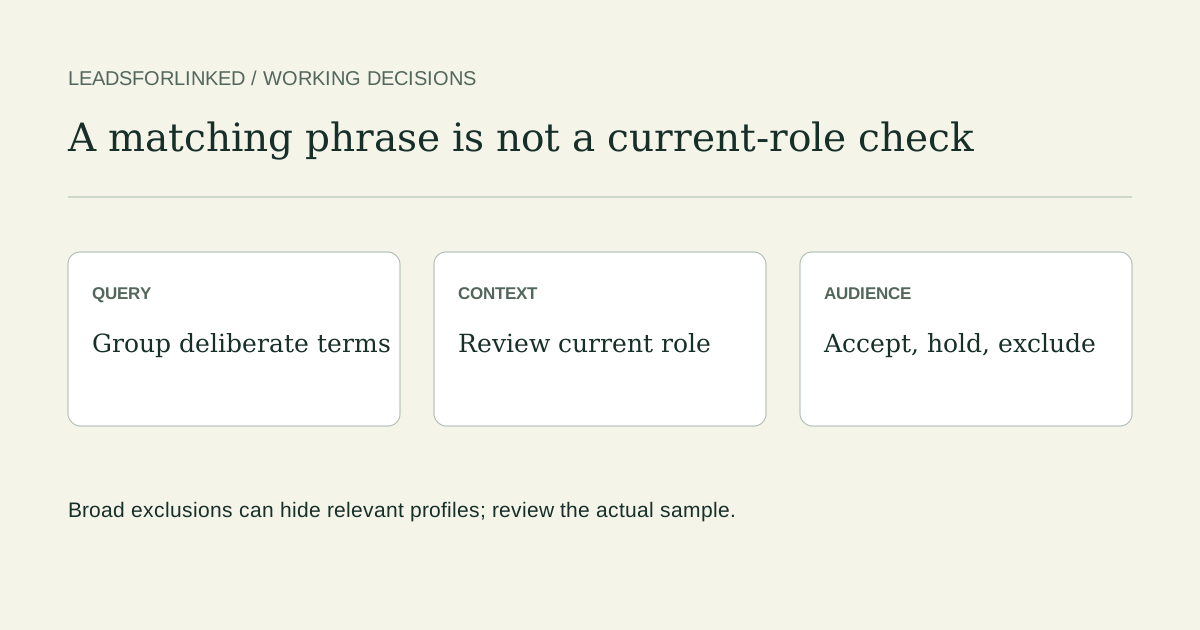
Boolean search is useful when you need deliberate title alternatives, required terms and exclusions. It controls keyword logic. It does not prove that a person currently holds a role, works at the selected company or is ready to buy. Those are separate review decisions after you see an actual result or exported sample.
LinkedIn’s Boolean documentation supports uppercase AND, OR and NOT, straight quotation marks for phrases, and parentheses for grouped alternatives. It does not officially support wildcard searches or plus/minus shortcuts. The documented precedence is quotes, parentheses, NOT, AND, then OR.
| Input | Meaning | Review question |
|---|---|---|
sales AND B2B | Both terms required | Are they describing the current job or some other context? |
"head of sales" OR "sales director" | Either phrase | Are both title variants deliberately in scope? |
NOT recruiter | Exclude the keyword | Could a relevant sales leader mention a former recruiter role? |
"head of sales" | A phrase rather than independent words | Where does that phrase occur? |
(A OR B) AND C | Group alternatives before applying C | Does every alternative still need the same company/context review? |
Group alternatives before adding required terms
Suppose your brief is director-level sales responsibility at B2B software companies. Start with title alternatives you intend to consider, then add required terms deliberately. Use native Locations or Current company filters where they serve the requirement instead of assuming a place or company word is a structured filter.
("head of sales" OR "sales director" OR "VP sales") AND B2B AND SaaS
Each alternative is grouped with OR; both B2B and SaaS are required. This can also miss relevant wording such as “Director of Sales” and “B2B software”. Decide whether to add those variants or broaden the keyword requirement. The output should reflect your brief, not an automatic claim that several seniority levels are equivalent.
"head of sales" OR "sales director" AND SaaS
The second draft has no grouped title alternatives. Because AND is evaluated before OR, the SaaS requirement belongs to the sales-director branch rather than both branches. Parentheses make the intended requirement visible. A short query can be easier to review than one full of guessed synonyms.
Build and download a query brief with the local generator. Its plain-English parser proposes fields and title variants; review those fields before searching. Its location intent is separate by default so you can apply the actual native filter. It does not invoke LinkedIn’s native natural-language search or certify a person’s current job.
Review eight cases before using a broad exclusion
Download the eight-case fictional search exercise and the blank query-and-review brief. Every exercise record is authored, synthetic and do_not_contact. The two match columns use a simple literal-text teaching predicate: one of the three title phrases above, plus B2B and SaaS, then the same rule with the recruiter keyword excluded. They are not LinkedIn runtime, ranking or visibility results.
| Case | Grouped draft | With NOT recruiter | Manual audience decision |
|---|---|---|---|
| B01 Current Head of Sales | Matches | Matches | Review fit against company and identity rules |
| B02 Former Head of Sales, now Student | Matches | Matches | Hold: not evidence of the current role |
| B03 Recruiter hiring a Head of Sales | Matches | Excluded | Exclude this recruiting context |
| B04 Current Head of Sales, previously Recruiter | Matches | Excluded | Potentially relevant; the broad exclusion hides it |
| B05 Sales Director at a charity | Matches | Matches | Exclude: company scope outside the brief |
| B06 Director of Sales, B2B software | Does not match | Does not match | Relevant wording omitted from the draft |
| B07 VP Sales, company unknown | Matches | Matches | Hold: company context missing |
| B08 Chief Revenue Officer, B2B software | Does not match | Does not match | Hold: decide whether responsibility and wording belong in scope |
B03 explains why an exclusion can help. B04 explains why the same exclusion can remove a relevant person. Do not routinely paste NOT recruiter, NOT consultant or NOT advisor into every search. Record the unwanted context and inspect whether the exclusion also hides profiles you need. B06 shows that expanding a title synonym is a deliberate brief change, not a guarantee of wider correct coverage.
Choose the LinkedIn search mode and filters explicitly
LinkedIn’s People search help distinguishes meaning-based natural-language search from Boolean keyword matching and says natural-language search does not support quotation marks. Use the native mode that your account actually offers. Choose People, then inspect the available All Filters options. Result counts are approximate; the guide does not promise a fixed free result quota.
Its operator-limit documentation gives Sales Navigator a 15-operator limit and describes a consumer limit without publishing a fixed number there. If a draft is rejected, shorten it and test the actual account behavior. Do not describe an undocumented consumer allowance as a fixed five-operator rule.
Where a Sales Navigator current-title filter or another advanced/native workflow is a mandatory requirement, evaluate that route directly. A standard keyword draft can help identify candidates; it does not reproduce every paid filter. The existing no-Sales-Navigator guide explains the reviewed CSV job, and the alternatives guide covers broader route choices.
Turn the actual search into a useful profile sample
- Keep the tested query and native-filter choices in the blank brief.
- Select a supported, accessible source in the current account flow.
- Preserve an actual raw export and map the real person, role and company columns.
- Review current fit, reference identities and suppression before handing off a subset.
- Hold missing required fields and decide the remaining research, contact-data or platform job.
Leadsforlinked publishes 100 free signup profile leads, no card, released in batches of 20, with Sales Navigator optional. Use that actual sample to test audience fit. It does not demonstrate campaign execution, verified email completeness or purchase intent. If the approved file already meets the destination’s need, use it; otherwise choose an appropriate pack or subscription from the published plans without a compulsory pack step.
LinkedIn prohibits scraping and automation software. Access restrictions and organizational policy still apply. The bulk workflow guide provides related context; no query, delay or batch size here establishes a policy exception or a safe account quota.
Frequently asked questions
Does Boolean search work without Sales Navigator?
LinkedIn documents Boolean keyword search in its standard search bar. Sales Navigator offers separate advanced filters and workflow features. A keyword draft does not reproduce every paid filter.
What do quotation marks and parentheses change?
Straight quotation marks group a phrase. Parentheses group alternatives before the other terms are applied. LinkedIn documents the precedence as quotes, parentheses, NOT, AND, then OR.
Should I always exclude recruiters or consultants?
No. An excluded keyword can also occur in a relevant person’s past role or profile text. Record the unwanted context and review whether the NOT clause hides profiles you need.
Is a keyword match proof of the current job?
No. A phrase can occur in a past role, hiring description or other context. Review current responsibility, company scope and identity separately.
Is the fictional exercise a LinkedIn result test?
No. Its match columns are a literal-text teaching predicate over eight authored cases. They do not measure LinkedIn runtime, ranking, visibility or expected audience yield.