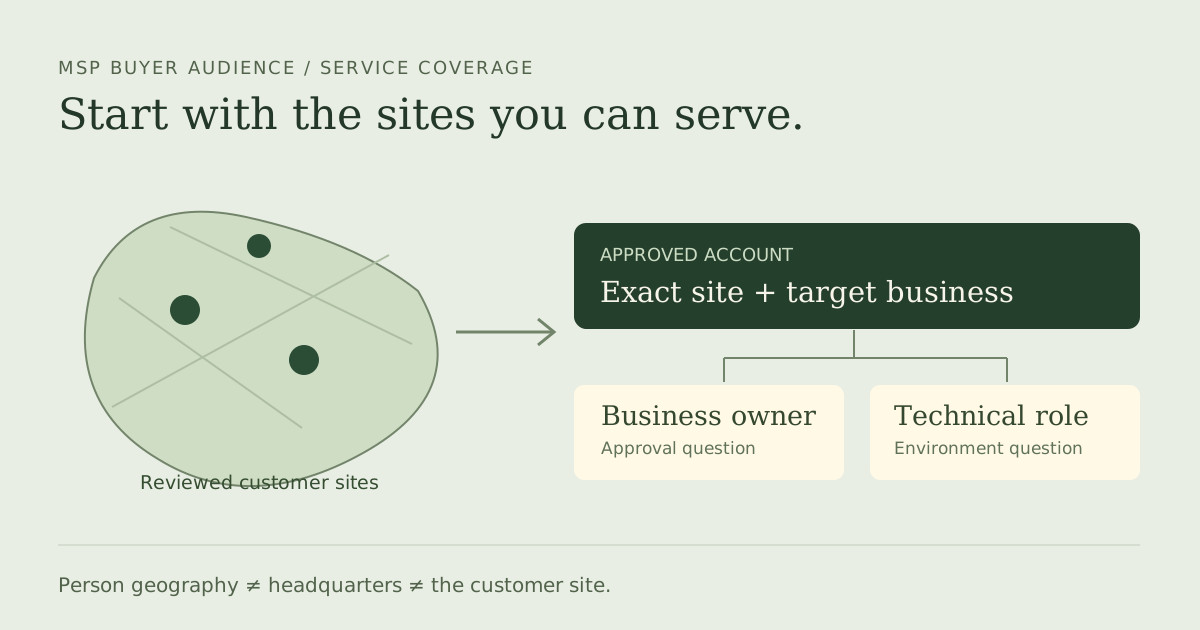
LinkedIn lead generation for an MSP works best when the list reflects how the service is delivered. A founder near your office may work for a company outside your support area. A local branch may belong to a group whose headquarters is elsewhere. Neither result tells you whether the account fits your managed-service offer. Build a serviceable account list, then attach the people who can discuss its business and technical requirements.
The useful deliverable is a reviewed audience for a specific sales job: target accounts, office evidence, relevant current roles, existing relationships excluded and an owner for the next step. It is not a list of companies proven to be unhappy with IT or ready to change providers. Those questions belong in later conversations.
A 2026 MSP operator discussion describes researched accounts entering a salesperson's approval queue before outreach. A solo MSP's question about outsourcing lead generation shows another starting point: referrals are working, but the owner wants help creating a sales process. These are individual experiences, not a reason to copy their activity targets. Both make the buyer brief more useful than another undifferentiated file.
Define the territory your delivery team can support
Write the delivery rule before searching. List the towns, postcodes or office locations you cover, the services that need an onsite visit, and any remote-only exception your team actually accepts. Ask delivery to review boundary cases. “Within commuting distance” is too loose if the support commitment requires a particular response time or a technician with specific access.
Keep three location fields separate: the person's profile geography, the company's headquarters and the customer site you would support. LinkedIn's Sales Navigator filter definitions distinguish Geography from Company headquarters location. Neither is a verified inventory of customer offices. Use the account's own site information and record the source date when an actual location matters.
A branch inside your territory can be a research candidate even if its group has a distant headquarters. A nearby executive at a remote-only business can be outside the onsite brief. Do not broaden the territory just to increase the count. Create a held queue for missing site evidence and for exceptions waiting on delivery approval.
Approve accounts before collecting every employee
Choose the sectors and account scale that fit your offer, using your own delivery economics. If your team supports a particular type of office business, keep that rule in the worksheet. Company headcount can help narrow a search, but it does not establish endpoint count, internal IT capability, budget or a contract renewal date. Research those fields when they affect the next conversation.
Exclude your current customers, active opportunities, vendors and companies your business has deliberately declined. An MSP provider, an IT consultant and a potential managed-service customer may use similar technology language in their profiles. A search containing “IT” can therefore find your competitors instead of buyers. Review what the account actually does, rather than accepting an industry label alone.
Give branches and subsidiaries their own account notes. Preserve a conflict when a person appears against a parent while the approved brief names the local operating company. Assign someone to resolve it. A clean-looking spreadsheet with a guessed company match creates more work at the first sales call.
Cover business and technical roles without claiming authority
| Lane | Titles to investigate | Question still open |
|---|---|---|
| Business owner | Founder, managing director, operations director, finance leader | Who owns the business requirement and approval? |
| Technical participant | IT manager, head of IT, systems lead | Who can explain the existing environment and support boundary? |
| Local operating contact | Branch or office operations manager | Which site and practical constraints does this person cover? |
The table supplies research lanes, not a universal buying committee. A small owner-led account may combine several responsibilities. Another business may have internal IT that buys co-managed support rather than a complete outsourced service. Keep both possibilities visible. Avoid describing every IT manager as a decision-maker or every founder as the correct first contact.
Review the current role and exact account for each person. Preserve enough context to explain why the person belongs in the list. A second person at an approved account may add valuable role coverage; ten people with the same function do not necessarily add ten new account opportunities. Count account coverage and person coverage separately.
Find the people attached to the approved accounts
On ordinary LinkedIn, use People search and the available Current company and Locations filters. Start with one approved account and a relevant role phrase. For exact keyword matching, LinkedIn documents uppercase OR, AND and NOT with quoted phrases; its natural-language search is a different mode and does not use quotes. Inspect results before expanding the search.
If you already use Sales Navigator, its current-company, current-title and account-list filters provide an account-first route. Use the access you already have when it meets the brief. A profile extractor earns its place when you need a portable selected audience for a larger sourcing job, not simply because another subscription exists.
Capture source context, the original person identifier and the review date. Do not turn an opaque Sales Navigator identifier into a public URL by changing the path. Inspect the actual export's fields and blanks. The company-contact sourcing guide expands the selected-account workflow, while the existing-contact exclusion guide explains why incomplete references need review.
Use the original practice pack and blank brief
Download the blank sourcing worksheet
The worksheet records your actual requirements, source evidence, exported fields, accepted and held counts, remaining gap, owner and review date. Fill it before ordering a larger audience. Practice with the ten fictional raw observations, complete decisions and instructions. Every original cell remains available. These teaching records are synthetic and do not contact; do not upload them to a vendor.
The fictional MSP brief accepts serviceable target accounts with a confirmed person identity and a business or technical role. M01 and M02 meet it; M10 adds technical coverage to M01's account. M03 awaits a territory-boundary decision, M04 lacks a current role, M05 has an opaque identity and M06 has a subsidiary conflict. M07 is another MSP, M08 is outside the confirmed service area and M09 is an existing customer.
| Research candidates | Held for review | Rejected for this brief |
|---|---|---|
| 3: M01, M02, M10 | 4: M03–M06 | 3: M07–M09 |
Inspect the separate accepted research subset and held observations. Rejected originals remain in the full decisions file. For your real list, keep unknowns held and approve a separate payload only after the relevant evidence is complete. The teaching headers are not an asserted product export schema.
Test one profile batch, then budget the remaining job
Use Leadsforlinked's published 100 free signup profile leads, released in batches of 20, without a credit card. Test the selected-account source you intend to use. Review one batch for the real territory, role and exclusion rules, then record approved accounts, approved people and unresolved gaps. The raw row count is not the approved audience count.
Choose the final account and role coverage your sales job needs. Subtract the people already approved and the actual sample's accepted people from that job. Keep held records outside that subtraction until they are resolved. Use the remaining-job offer planner and profile-input purchase guide to compare an eligible once-only 500-profile offer at €1.99 with Basic at €4.99 monthly or €35.88 for the full year, equivalent to €2.99 monthly. Do not model the once-only offer as a repeatable monthly pack.
If a sample contains mostly competitors or unserviceable sites, revise the brief and source before buying more. If it adds the missing approved account-role coverage, additional extraction can support the remaining audience. Keep enrichment or a calling tool in the budget if the job requires contact data; a profile row is not a verified number or address.
Hand over the account/site evidence, accepted people, original identifiers, exclusion reference and dated next step to the salesperson. Keep a reason for each hold so research can resume without starting again. The list should make a meaningful account conversation possible while leaving commercial qualification with the people responsible for it.
Frequently asked questions
Can I use a person's LinkedIn location as the MSP service address?
No. Person geography, company headquarters and the customer site are different fields. Record actual site evidence when your service territory depends on it.
Which titles should an MSP investigate?
Start with the business, technical and local operating responsibilities your offer needs. Owner, operations and IT titles are research candidates; their authority still needs confirmation.
Does a free profile sample qualify a managed-service buyer?
No. Use the 100 free signup profile leads, in batches of 20 with no card, to test source and field fit. Service need, budget and buying authority belong in later qualification.