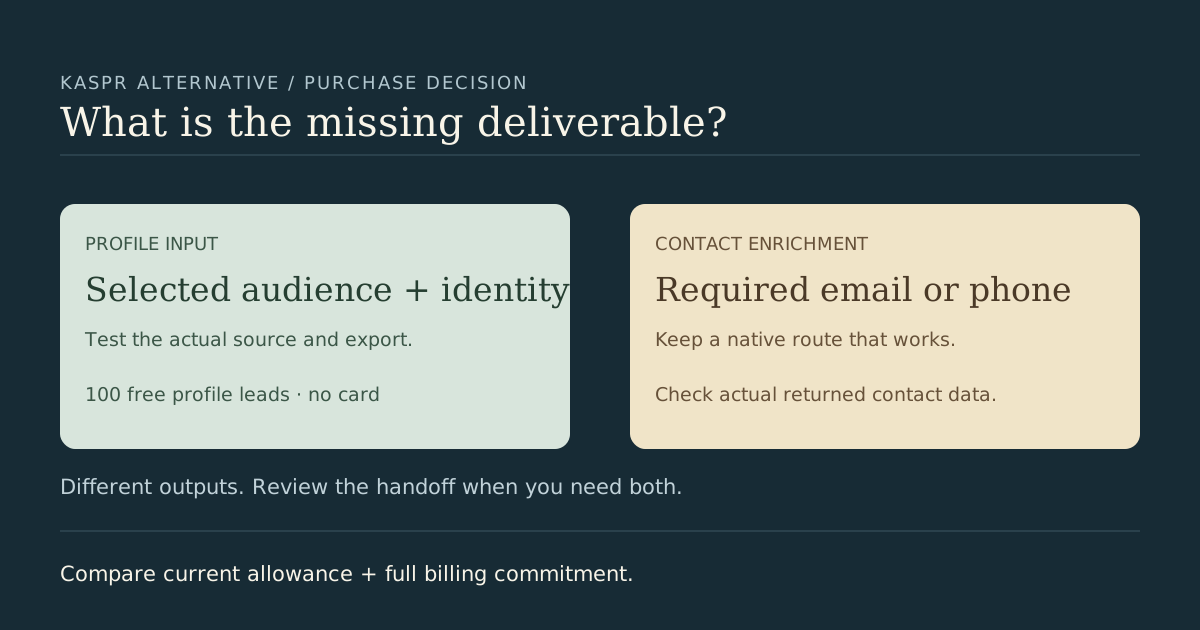
Choosing a Kaspr alternative starts with the deliverable you need to buy. Contact enrichment and profile sourcing solve different problems. This page is the purchase-decision overview: when to keep Kaspr, when to test an additional profile source, and how to compare the billing commitment. For input-level mechanics and the original acceptance exercise, read the Kaspr CSV handoff guide.
When keeping Kaspr is the practical choice
Keep Kaspr in the shortlist when the purchase is contact data for your chosen people. Its native Sales Navigator workflow supports saved lead lists and search-based enrichment through the Chrome extension. Its documented LinkedIn routes also cover searches, groups and events. A separate extractor is unnecessary when the working source already supplies your audience and the returned contact fields meet your requirement.
Before renewing or replacing it, review a real sample from your intended geography and roles. Record confirmed person identities, required emails or phones, acceptable evidence, usable export fields and the destination's mapping. A vendor's data description is not a measured accuracy result for your list. This comparison makes no phone-quality ranking or verified-email parity claim for Leadsforlinked.
Check the credit policy you are actually buying
Checked 13 October 2026, Kaspr's plan guide includes credit rollover on Starter and Business. The add-on guide describes a different policy: add-ons renew automatically and unused add-on credits do not roll over within the billing period. Plan allowances and add-ons should be evaluated separately. Do not assume that every Kaspr credit expires on the same monthly reset.
Kaspr's CSV help separates contact-data consumption from exporting enriched profiles, and warns about repeat enrichment and repeat downloads. The input route matters as well: external CSV enrichment requires standard public person URLs, while Sales Navigator is supported through native extension workflows. Buying extra allowance does not repair an incompatible identifier column.
The public pricing page and help pages currently differ on some free allowance details. Check the current offer in the plan you are evaluating; this page avoids an exact Kaspr free-output count. Record the source allowance, required contact fields, exports, workflow entitlement and any additional destination subscription in your budget. Do not treat an enriched-profile export and a sourced-profile row as equal purchases.
Compare billing periods and deliverables
| Offer | Billing amount | Job to evaluate |
|---|---|---|
| Kaspr Starter | €59 per user monthly; €45 monthly equivalent on annual billing (€540 for 12 months) | Contact-data plan; check needed buckets and export allowance |
| Kaspr Business | €99 per user monthly; €79 monthly equivalent on annual billing (€948 for 12 months) | Contact-data plan with different allowances and features |
| Leadsforlinked free start | 100 signup profile leads, in batches of 20; no card | Test selected-profile sourcing and the actual export |
| Eligible Leadsforlinked offer | 500 profile leads for €1.99, eligible once | One profile-input job; not a repeatable pack |
| Leadsforlinked Basic | €4.99 monthly, or €35.88 for the full year (€2.99 effective monthly) | Compare the source job and chosen billing horizon |
Kaspr amounts are supported by its pricing page and plan help; the annual totals above are arithmetic from twelve months, not an authenticated checkout quote. Leadsforlinked amounts are the published own offers. They are not a cost-per-verified-email comparison. Currency, tax, account terms and current checkout amounts still belong in the actual buying record.
When an additional profile source earns its place
Test Leadsforlinked when your missing deliverable is a selected LinkedIn audience's profile input. Start with the free allowance, inspect actual column names and person identifiers, and approve a batch against your brief. If contact enrichment is needed afterward, keep that step in the budget. A complementary workflow may be enough; replacing a working enrichment route can create avoidable handoff work.
Use the blank requirements and handoff worksheet to record the real source, identifiers, mandatory contact fields, settings, accepted rows and reviewer. The linked detailed guide preserves synthetic raw, held and conflicting observations and shows a separate thin payload. It is a teaching exercise, not a live Kaspr import or an exact Leadsforlinked export sample.
This existing URL was corrected on 13 October 2026 to remove unsupported universal reset, unlimited-use, credit-expiry and product-parity claims. Its 22 June 2026 publication date is preserved. No signup, checkout, customer result, live enrichment or import test was performed.
Frequently asked questions
Do all Kaspr credits reset without rollover?
No. Kaspr lists rollover on paid plans, while its add-on guide describes separate renewal and unused-credit rules. Check the specific allowance and billing terms you intend to buy.
Does Leadsforlinked replace Kaspr contact enrichment?
Do not assume replacement. Test Leadsforlinked for selected-profile input and review actual exports. Required email or phone data remains a separate deliverable that must be checked in the actual workflow.
What is the Leadsforlinked free start?
100 free signup profile leads, released in batches of 20, with no credit card. Use a sample to review actual identifiers and mandatory fields before buying more.
Where can I check Sales Navigator versus public profile identifiers?
Use the linked Kaspr CSV handoff guide and its blank requirements worksheet. The synthetic exercise preserves original, held and conflicting observations; it is not a live vendor import.