A Notion CRM becomes useful through the work people add to it: relationship notes, an owner, the next conversation and decisions about a contact. A new LinkedIn audience should add reviewed people without making those existing records harder to trust. The immediate job is a small, deliberate append payload, with a separate queue for known contacts and unresolved identities.
If the current CRM already contains enough suitable people, use that audience. An approved export from another source can also supply the job. A fresh profile extraction earns its place when you need additional people from a supported LinkedIn source, not merely because a spreadsheet can be imported.
Treat CSV Merge as an append operation
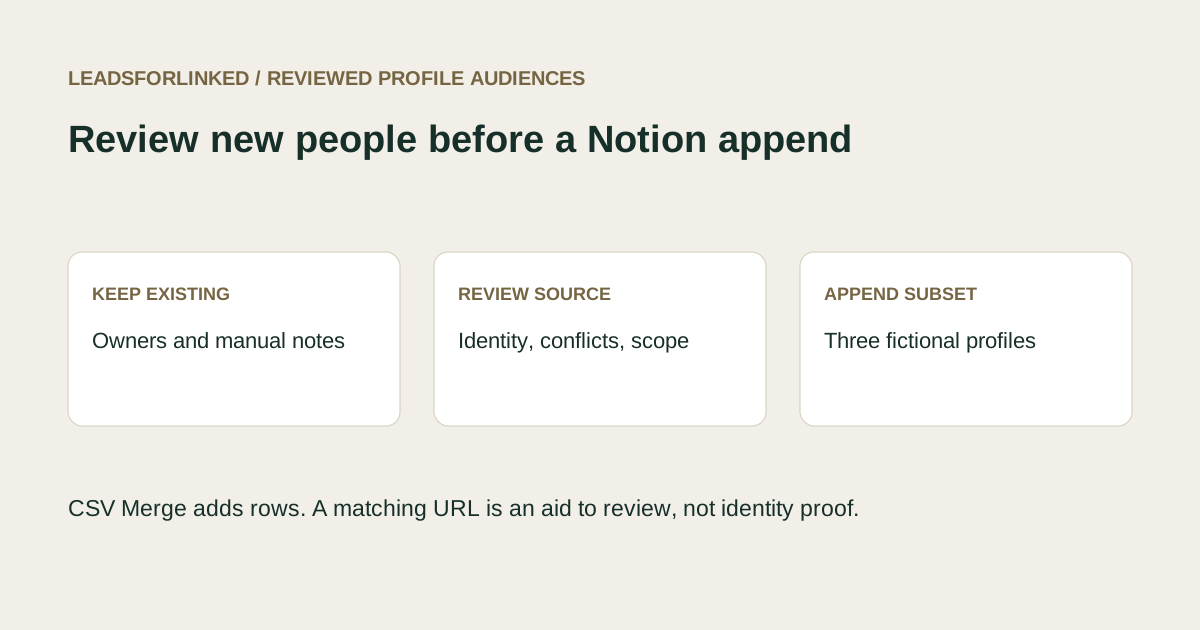
Notion's current import help says CSV imports and merges add rows instead of updating existing rows. A full-page database offers Merge with CSV and column-to-property mapping. Reimporting yesterday's audience can therefore add it again. Naming a column “LinkedIn URL” does not turn the import into a unique-key update.
A June 2026 firsthand database question describes repeated duplicate pages after CSV imports. That is an observed problem, not a measure of how many Notion users need a lead source. The useful response is to decide which people belong in a new append before the import, while leaving already useful records in place.
Distinguish three outputs: accepted new profiles, already-known profiles requiring a separate update decision, and held observations needing identity or scope review. A raw export is not the first of those outputs. Do not delete existing pages and rebuild them from a profile CSV just to obtain a cleaner row count.
Keep a reference of the existing CRM
Start with the relevant database and the records the new audience must not duplicate. Notion's export guidance lets you choose the current or default database view; it does not export all views at once. Check filters and record coverage rather than assuming a view represents the whole CRM. Save the original reference and its export date.
Include the profile identity used in your working process and retain a way to find the original record. Keep the owner, status and manual notes in the controlled reference. These fields explain why a known contact is not a new person to append. Avoid changing their values as a side effect of preparing a new source file.
Review blank identities in the reference itself. A contact whose profile field is missing will not be excluded by matching that field. Fix a known identity with source evidence, or retain a specific manual hold where the new capture may represent that contact. Matching a name alone can join different people and can also miss aliases or spelling differences.
Define and inspect the incoming audience
Write the role, employer and geography requirements before gathering more profiles. For example, a revenue-operations leadership audience needs the relevant responsibility at the right employer; a student, consultant or general founder may be outside that particular job. The role decision is separate from whether Notion will accept a row.
Inspect a sample from the intended supported source. Leadsforlinked publishes LinkedIn profile sources and CSV export; use the actual sample to check identities and mandatory context. Exact production headers and complete role or company fields should not be assumed. Keep the original file unchanged and add your review fields in a working copy.
Use a supported public profile key for local matching. A URL-shaped string is still not independent proof of a person's identity. Retain opaque Sales Navigator references as observed instead of rewriting their path. If the raw file lacks a reliable key, a destination import cannot repair that evidence gap.
Exclude known keys, then review what remains
The Prospect List Workbench can compare the incoming file against a supplied reference. Choose Exclude, load the source and existing-reference CSVs, map their profile columns and use LinkedIn profile matching. Keep Main, Excluded and Review together with the original files.
Main means no matching key was found in the supplied reference. It can still contain blank or invalid identities that also appear in Review. It does not establish that every retained row is absent from Notion. Resolve repeated source identities, incompatible observed roles and reference gaps before deciding which rows may enter the append payload.
An existing contact with newer profile information belongs in a separate update review. Record the proposed change and its evidence beside the original Notion record. CSV Merge is not the way to update that contact in place. Keep the manual owner and relationship notes available to the person deciding the change.
Work through twelve fictional observations
Download the source capture, existing CRM reference and blank append worksheet. All identities are authored fictional examples, marked synthetic and do-not-contact. The columns are teaching fields; no live Notion import or LinkedIn extraction was performed.
The reference contains three existing records with owners, statuses and notes. Ada and Ben have public profile keys. Milo's reference key is blank. Excluding the twelve source observations retains ten Main rows, excludes Ada and Ben, and flags three invalid or missing source identities in Review. The blank reference key is also a limitation of this check.
Download the exact Main, Excluded and Review files to compare your result. Main still includes Dan's two incompatible role observations and Milo's possible reference match; those cases need a human decision beyond the exclusion output.
| Case | Decision | Reason |
|---|---|---|
| Ada and Ben | Keep existing records | Known keys; any role update gets a separate review |
| Cara, Gale and Kira | Three accepted new profiles | Reviewed identity and role fit against this supplied reference |
| Dan's two observations | Hold both | Conflicting Director and Student roles |
| Milo | Hold possible existing contact | Reference record lacks the matching key |
| Other uncertain or out-of-scope rows | Hold | Missing/opaque/wrong-object key or unsuitable role |
The complete decision ledger preserves all twelve observations. The accepted demonstration contains three; the held file contains seven; the two already-known rows remain in Excluded and the ledger. Every original is accounted for, including repeated observations.
Project a deliberate append payload
The three-row append payload projects Name, LinkedIn URL, Job title, Company, Source note and Review status. Map Name to the receiving Title property, the profile to a URL property, and deliberately chosen text or status columns to compatible properties. Keep the teaching marker outside real data.
Leave existing manual properties in the database. A file for adding new people does not need to restate every old note, owner or relationship. The local after-append demonstration retains all original cells of the three existing records and adds the three reviewed rows. Its demonstration record keys are not IDs generated by Notion.
Check a small real append before proceeding. Confirm the number of new pages, the mapped title and URL, the receiving status value, and the unchanged original manual records. Save the accepted payload name and append date. Before another append, refresh the reference so the last accepted batch cannot be added again merely because yesterday's file was reused.
Measure the remaining accepted job
Use the blank worksheet to record a target in reviewed unique new profiles, the current accepted count, reference coverage and the remaining gap. Count held or already-known rows separately. The fictional three-profile subset provides no real acceptance rate and should not be extrapolated into raw rows, meetings or revenue.
remaining accepted profiles = max(0, target - reviewed unique new profiles)If the current approved audience fills the job, append that subset and stop sourcing. If the gap needs additional LinkedIn people, test the actual source with 100 free Leadsforlinked signup profile leads, no card, released in batches of 20. Continue only when the sample supplies the identity and context required for acceptance.
The public euro offers checked 13 October 2026 include an eligible once-only 500-profile offer at €1.99, Basic at €4.99 monthly, or €35.88 for a full year, equivalent to €2.99 monthly. Account eligibility and checkout need confirmation. See the pricing guide and the supplied-reference exclusion guide. Buy capacity for a demonstrated remaining input job, with the CRM append decision kept separate.
Frequently asked questions
Does Merge with CSV update a matching Notion row?
No. Notion documents that CSV imports and merges add rows rather than updating existing rows. Keep known contacts out of an append payload and handle intended updates separately.
Does a unique LinkedIn URL prove a person is new?
No. A supported profile key helps reconcile the supplied files. Missing reference keys, conflicting observations, stale URLs and incomplete CRM coverage still need review.
Can I keep my existing manual notes and owners?
Keep the existing database records in place and append only accepted new people. This exercise demonstrates local preservation of their original fields; inspect the actual Notion result after a small append.
Does the example create relations or formulas?
No. The example uses a deliberate plain-field mapping and leaves existing relations, formulas and manual CRM fields in place. It is fictional teaching data, not a live Notion import.