Choose the extension by the unfinished prospecting job
The best extension for profile research can be the wrong choice for verified-email preparation or campaign execution. Start with the output and destination: a reviewed person audience, contact data, an existing CRM record, or a paid outreach workflow. Then decide whether a browser extension is necessary at all.
If your approved people already exist in a native CRM export, use that file. LinkedIn’s connection archive may finish an own-network job, although it only covers first-degree connections and emails depend on member settings. Eligible Sales Navigator Advanced Plus users can consider the native CRM Sync and lead-creation route. A new extension does not improve a file that already meets the requirement merely by adding more rows.
| Unfinished job | Route to consider | Evidence to inspect |
|---|---|---|
| Selected profile audience for research or CSV handoff | A supported profile-capture route, including Leadsforlinked where eligible | Actual person identity, role/company context, source and required output columns |
| Email or phone needed for approved people | A contact-data route such as Kaspr or Apollo, subject to current account terms | Actual contact values, gaps and the verification evidence the team requires |
| Sales Navigator search export with email discovery | An eligible specialized route such as Evaboot, or native CRM route if sufficient | Active source access, actual export fields, email gaps and separate meter/commitment |
| Save or update approved people in a CRM | Existing native CRM integration or a deliberately mapped reviewed file | Identifier rules, overwrite behavior, owner and destination acceptance |
| Campaign, inbox or AI execution | The appropriate paid platform workflow | Plan scope, reviewed audience and stopping/approval rules; profile capture alone is insufficient |
The free-extractor comparison retains the dated free/trial and downloadable-row distinctions for six routes. Use it for current source and meter choices rather than comparing a signup allowance, verified contact credit and exported row as if they were interchangeable.
For Kaspr, the CSV-enrichment documentation and native Sales Navigator workflow describe different input routes. Concede the native route when it is sufficient. For Apollo, inspect the extension’s documented workflow and the actual saved-contact/export state before choosing a new capture. None of these routes establishes complete email or phone coverage for your audience.
Read the requested access before approving it
Chrome’s permission-warning guidance distinguishes access to all websites, selected sites, tabs/history and clipboard information. A warning describes access; it is not itself proof that an extension is harmful. A familiar brand or a narrow host list also does not prove that a requested permission serves your particular job.
- Record the exact candidate and version. Read its current requested sites and browser permissions, rather than rely on an old category label or a screenshot from another version.
- Ask what each permission enables. Reading a profile page and reading all websites are different scopes. Clipboard access needs a reason if your job is only file export.
- Check the organization’s installation policy. Chrome notes that managed work/school environments may block installations. Use the authorized route instead of treating a block as a technical obstacle to bypass.
- Confirm the actual output separately. Site access does not show whether a mandatory person identifier, company context or contact value exists in the download.
- Choose the smallest appropriate active scope. Where Chrome offers site-access choices, select the scope that serves the approved job and review it when the job changes.
Chrome’s installation and management instructions explain site access on a selected/current site or all sites and how to manage extensions. Those controls do not govern separate VPN/proxy permissions. Pinning an extension makes its action easier to find; it is not an endorsement of its data or policies.
There is no documented universal “maximum two or three prospecting extensions” rule here. Remove or disable tools you no longer need, and troubleshoot concrete conflicts in your setup. Do not translate the number of installed extensions into an invented restriction probability, performance score or safety guarantee.
Compare two fictional candidate plans without inventing a safety score
Download the two fictional permission-and-output cases, the blank permission review worksheet and the interpretation note. The candidates are invented plans, not reviews or installed extensions. Both are held because the required job has not been established.
Fictional Profile Capture A requests access on selected LinkedIn pages for a profile-research job. That narrower scope alone does not prove useful output, an explained permission purpose or policy acceptability. Its reviewer still needs an actual sample and the organization’s decision.
Fictional Contact Lookup B requests all-site and clipboard access for an email-preparation job, while the observation only contains profile data. The reviewer asks why that access is necessary and holds the missing email evidence. All-site access is not automatically a finding of harm, but more profile rows would not close the missing contact requirement.
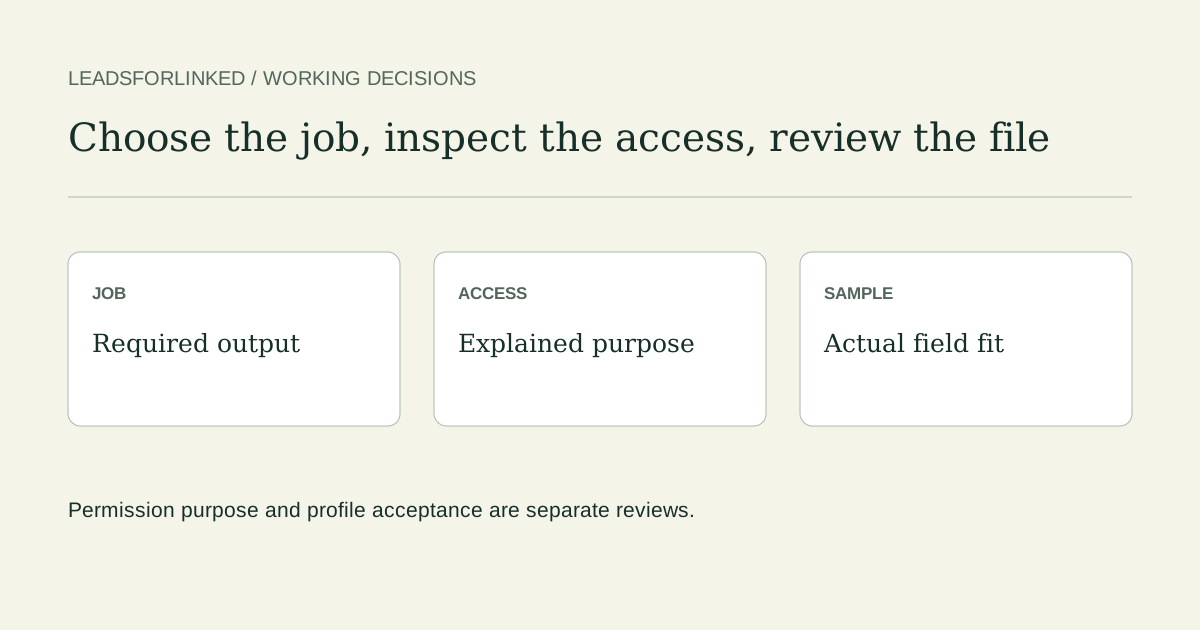
Use the blank worksheet for the real candidate: required output, actual source/native alternative, requested hosts, browser permissions, purpose, actual columns, gaps and owner. Keep “permission purpose accepted” separate from “sample fields accepted”. A tool can pass one check and still fail the other.
Keep source permission, output fit and downstream action separate
LinkedIn prohibits software that scrapes or automates its service and may restrict an account. A narrow site permission, cloud workflow, browser workflow, paid seat or slow batch does not establish an exception. Use sources your account can access and follow your organization’s policy.
After export, retain the raw file and inspect identities, current roles, company scope, exclusions and required contact evidence. A profile-shaped URL is a candidate identifier, not independent proof of the correct person. Review destination rules before importing a file. A CSV cleanup tool cannot decide whether an identity is new, a contact is verified or a conversation should resume.
Leadsforlinked publishes 100 free signup profile leads, no card, released in batches of 20, with Sales Navigator optional. Use an actual supported-source sample for this field-fit check. If the approved file completes the job, use it. If the remaining job repeats, Basic covers extraction/export at €4.99 monthly or €35.88 billed yearly (€2.99 effective monthly). The limited eligible 500-profile €1.99 pack is optional.
Campaign/CRM work belongs to Starter’s paid scope; Pro adds the AI layer and Plus adds monitoring and three accounts. A useful free sample can justify that appropriate subscription directly. Compare the published plans, broader extractor routes and cost-focused guide by the remaining job. The local tools help prepare a reviewed handoff without requiring another extension installation.
Frequently asked questions
Which LinkedIn prospecting extension should I choose first?
Choose by the unfinished job and required output. A profile audience, verified contact-data job, CRM update and campaign execution need different evidence. Use an existing approved native file or integration if it already meets the requirement.
Does a Chrome permission warning mean the extension is dangerous?
No. Chrome says warnings describe access and do not themselves prove that an extension is harmful. Review the exact requested sites, browser permissions and purpose for your job.
Is there a safe maximum number of prospecting extensions?
This guide does not establish a universal installation-count rule or restriction probability. Remove or disable tools you no longer need, review their scopes and investigate concrete conflicts in your setup.
Does narrow site access prove an extension is approved by LinkedIn?
No. Browser permission scope and platform policy are separate. LinkedIn prohibits scraping and automation software; a narrow site permission or slow batch does not establish an exception.
Does a profile export finish a verified-email job?
No. Require a real email value and the verification evidence your team accepts. Hold missing required fields rather than buy more raw profile volume to hide the gap.