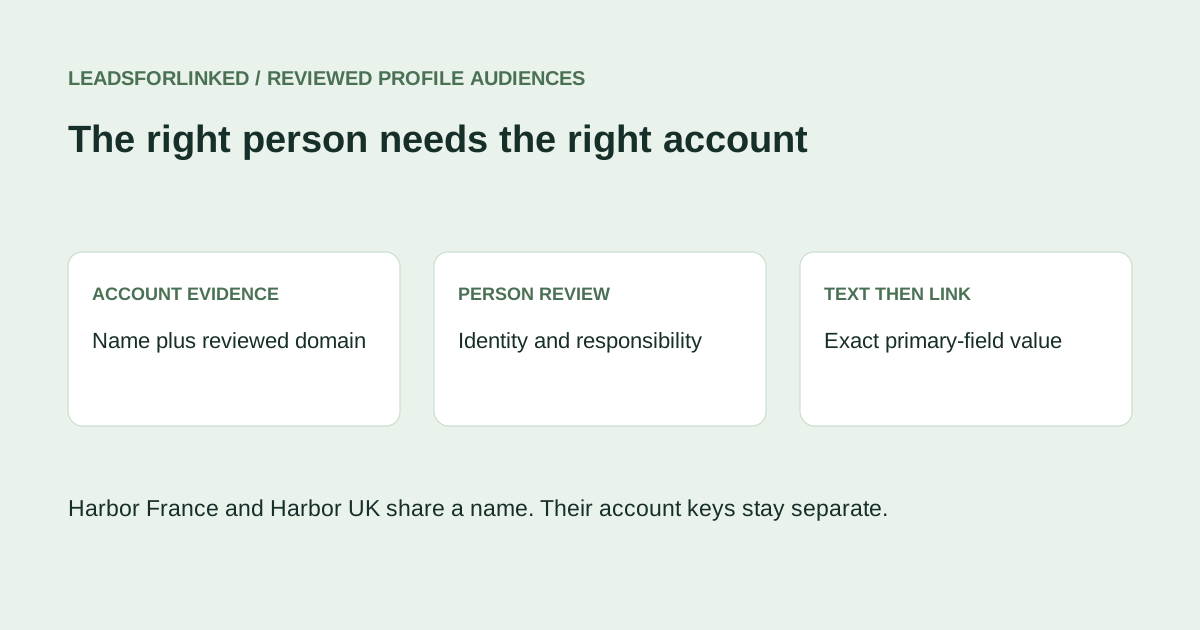
An Airtable audience needs more than a table of people. The receiving team needs each person connected to the intended employer, with the evidence behind that choice preserved. An incorrect account link can route the right profile to the wrong owner, overwrite unrelated company information or make an account appear covered when it is not.
Start with the audience job: the roles required at the accounts you intend to work. If an existing approved CRM export or base already supplies that audience, use it. Additional LinkedIn sourcing is useful when a real accepted-profile gap remains, with identities and employer context available for review.
Separate person identity from account identity
A supported public LinkedIn profile key can help reconcile person observations against a supplied reference. It does not identify the employer. A company name does not independently identify either a person or a company, and a matching URL string is an aid to review rather than a guarantee of identity.
Keep an Accounts reference with the destination account's stable working key, name, reviewed domain and relevant geography. Keep a separate People capture with the original profile, observed role and employer evidence. Record how a reviewer connected a person to a specific account. Do not infer a corporate domain from a company name or silently replace a missing value with a guess.
A May 2026 firsthand import question describes difficulty previewing a linked field and trying a record ID in a CSV. Replies propose conflicting routes. That establishes a mapping problem worth checking; it does not establish a universal current linked-field limitation or a successful solution.
Choose the import route and budget its capacity
Airtable's native import documentation covers CSV imports on all plan types, including creating a new table in an existing base. Use that route for deliberately prepared text staging when appropriate. Confirm the selected table, headers and field types in the actual preview.
The CSV import extension is a paid-plan route for adding records or merging with existing ones. It publishes a 25,000-row and 5MB file limit. Its merge matching is case-sensitive while ignoring outer spaces. Repeated source keys use the first row; repeated destination keys can update all matches; blank merge keys create new records. Inspect those conditions before relying on the update preview.
Map only the intended fields and consider its skip-blank/invalid-value option when merging. These import controls do not resolve account ambiguity. The current Free plan lists 1,000 records per base. Accounts, People and other tables share that capacity. A small teaching file says nothing about room in your existing base.
Inspect the linked table's primary field
Current Airtable linking guidance says pasted values match the linked table's primary field exactly and may create records for unmatched text. A displayed name can differ from the underlying primary-field behavior. Commas in text can also represent multiple link values, so an employer label with punctuation needs deliberate handling.
Before a conversion or paste, inspect the actual target primary values and check uniqueness. If the existing Accounts primary field contains duplicate company names, do not pretend a name-only link will choose the correct one. Use a supported manual record selection with sufficient account context, or have the base owner design and test a deliberate unique-key setup. A new key column does not automatically become the linked table's primary field.
For the fictional fresh-table exercise, the Accounts primary values are unique codes such as ACC-02. The company name and domain stay in separate fields. That makes the intended text link explicit. It is a teaching design, not a request to rename a production primary field or alter its existing relationships without review.
Review people before projecting an import
Inspect the actual source capture for the profile identity, current responsibility and employer context required by your brief. Leadsforlinked publishes profile sourcing and CSV export; exact returned headers, domain availability and field completeness must be checked on your intended source sample. A source export does not automatically supply the account evidence this workflow needs.
Use the local workbench to exclude exact person keys found in a supplied destination reference, then keep ambiguous identities and conflicts in a manual review queue. Exclusion does not establish absence from the entire base if reference coverage is incomplete. Keep every original observation and the source of any separately confirmed account decision.
Approve a person only after both decisions are supportable: the profile belongs to the intended person, and the observed employer belongs to the intended account. A valid person at an unapproved new employer should not create that account merely because a text conversion can make new records.
Inspect the original account and person fixtures
Download the five-account reference, twelve-person capture, supplied person reference and blank linking worksheet. All are authored fictional teaching data, marked synthetic and do-not-contact; no live import or source extraction was performed.
Two account rows are named Harbor Software. One has a French fictional domain and code ACC-01; the other has a UK fictional domain and code ACC-02. Ben's reviewed domain identifies the UK account. Cara has only the shared name and remains held. The name-match risk table preserves both candidate account codes instead of selecting the first name match.
Ada's two observations conflict between Director and Student roles, so both remain held. Gale's employer has no approved account reference. Iris has a company URL instead of a person key, Kira has no profile key, and Leon has an opaque local identity. Jules is already present in the supplied person reference.
With People as File A and the supplied person reference as File B, Exclude produces eleven Main observations, one exact reference match and three overlapping identity-review observations. Other manual holds, including account ambiguity and role conflict, remain beyond that software check.
| Person case | Account decision | Manual outcome |
|---|---|---|
| Ben | UK Harbor, ACC-02 | Accepted with separate company evidence |
| Dan and Eli | Quartz ACC-03 and Pine ACC-04 | Accepted |
| Faye | Oak, Ltd, ACC-05 | Accepted; comma stays in display-name text |
| Cara | Two Harbor candidates | Held until employer evidence resolves the account |
| Other uncertain or known records | Preserve the original observations | Seven held, one already-known person |
The complete decision ledger, four-person accepted subset and seven held observations account for all twelve captures alongside the known-person match. No observation is discarded to make the resulting account coverage look better.
Import text first, then test the actual links
The Accounts teaching payload carries the five unique account codes. The People text-stage payload carries four accepted people with a separate Company key text column. That column contains ACC-02, ACC-03, ACC-04 or ACC-05; it does not pretend that a CSV has already written native linked records.
For a real job, prepare or verify the Accounts table first. Import the reviewed person fields and link-candidate text into a practice staging table. Confirm every candidate matches the intended target primary value and that no held employer has slipped into the file. Then test the documented manual selection or text-to-linked-field conversion route on a small reviewed subset.
Inspect the resulting account link, person count and account count. An unexpected new account or an extra link means the mapping needs review. Preserve existing account notes and owners. Do not upload an arbitrary record-ID string into a linked field assuming the CSV importer treats it as a record-ID API request.
Plan the remaining accepted audience
Record accepted unique people and account coverage separately in the worksheet. Four accepted fictional people are not four new companies, and this exercise does not establish a real audience yield. Set the required role coverage, subtract the reviewed subset and decide what evidence or additional source is still missing.
If you need additional LinkedIn profiles, test the intended supported Leadsforlinked source with 100 free signup profile leads, no card, released in batches of 20. Buy more only after actual fields support the job. Public euro offers checked 13 October 2026 include an eligible once-only 500-profile offer at €1.99, Basic at €4.99 monthly or €35.88 annually, equivalent to €2.99 monthly. Check account eligibility and checkout in the pricing journey. Keep Airtable plan capacity and account-link review in the same decision.
Frequently asked questions
Is the CSV import extension available on Airtable Free?
The current extension documentation lists paid plans. Airtable also documents native CSV import on all plan types. Check which route you need and the actual base capacity before importing.
Can I match an employer by its company name alone?
Do not assume a name identifies one company. Review the account evidence and target primary value. Same-named companies, punctuation differences and unchecked new names need explicit decisions.
Will a record ID in a CSV automatically populate a linked field?
Do not assume it. This workflow stages a reviewed primary-field value in plain text and tests supported linking separately. An API or automation record-ID route has its own mapping requirements.
What does the four-person demonstration establish?
It preserves twelve fictional observations and separates four reviewed people, seven held observations and one supplied-reference match. It is not a live Airtable import or an outreach-permission decision.